
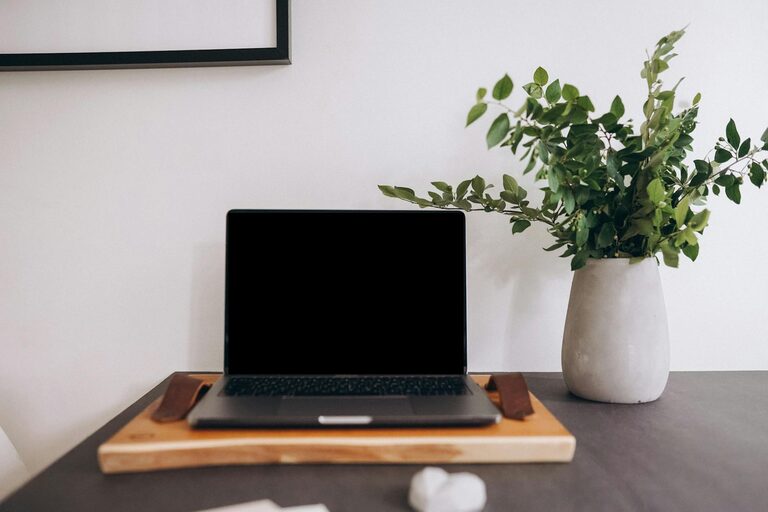
Creating a productive home workspace is essential for anyone working or studying from home. A well-organized area can improve focus, reduce distractions, and make your daily tasks more enjoyable. Whether you have a dedicated room or just a small corner, these tips will help you set up an environment that supports efficiency and comfort.
Choose the Right Location
Selecting the best spot for your workspace is the foundation of productivity.
– Minimal distractions: Pick a quiet area away from high-traffic zones.
– Natural light: Position your desk near a window when possible; natural light enhances mood and alertness.
– Comfort: Consider the temperature, ventilation, and noise levels of the space.
– Space: Ensure you have enough room for your essentials without feeling cramped.
Invest in Comfortable Furniture
Your comfort impacts how long and how well you can work.
– Ergonomic chair: Choose a chair that supports your back and encourages good posture.
– Appropriate desk: Set your desk at a height that keeps your arms at a 90-degree angle when typing.
– Footrest: If your feet don’t touch the floor comfortably, use a footrest to reduce strain.
– Adjustable options: Consider a desk or chair that can be adjusted to fit your needs throughout the day.
Keep Your Workspace Organized
A tidy area helps you think clearly and find what you need quickly.
– Declutter regularly: Remove unnecessary items weekly to maintain a clean environment.
– Use storage solutions: Invest in shelves, drawers, or bins to keep supplies organized.
– Assign specific places: Designate spots for commonly used materials so they don’t get lost.
– Cable management: Use clips or sleeves to keep cords neat and prevent tangling.
Optimize Lighting and Screen Setup
Good lighting and screen positioning reduce eye strain and fatigue.
– Balanced lighting: Combine natural and artificial lighting to avoid glare.
– Adjustable desk lamp: Use a lamp for focused lighting when needed.
– Screen height: Position your monitor so the top of the screen is at or just below eye level.
– Distance: Keep your screen about an arm’s length away to protect your eyes.
Set Boundaries to Avoid Interruptions
Maintaining focus means limiting distractions.
– Communicate your schedule: Let family or roommates know your work hours.
– Use headphones: Noise-cancelling headphones can help block out background noise.
– Turn off notifications: Silence non-essential phone alerts and app notifications during work periods.
– Create “do not disturb” signals: A sign or indicator can remind others not to interrupt.
Personalize to Stay Motivated
Adding a few personal touches can make your workspace inviting and inspiring.
– Plants: Small plants improve air quality and add a refreshing vibe.
– Photos or artwork: Surround yourself with images that bring positivity.
– Comfort items: A cozy blanket or a stress ball can provide comfort without cluttering the space.
– Inspiring quotes: Display motivational words or goals to keep you focused.
Develop a Routine for Maintenance
A productive workspace requires regular upkeep.
– Daily tidying: Spend a few minutes at the end of each day putting things away.
– Weekly review: Check your supplies and reorder or restock as needed.
– Monthly deep clean: Dust surfaces, clean your screens, and vacuum the floor.
– Reorganize when needed: If your workflow changes, adjust your setup accordingly.
Embrace Technology Wisely
Technology can either help or hinder your productivity.
– Use productivity tools: Apps for task management, calendars, and time tracking can keep you organized.
– Limit distractions: Block or limit access to distracting websites during work hours.
– Backup your work: Regularly save documents and use cloud storage to avoid losing important files.
– Maintain your devices: Keep software updated and hardware clean for smooth operation.
Conclusion
Organizing your home workspace does not have to be overwhelming. By selecting the right location, investing in comfortable furniture, and maintaining a tidy and pleasant environment, you’ll create a space where focus and productivity thrive. Remember that small changes and consistent routines can have a big impact on how you work from home. Try these tips to design a workspace that supports both your professional and personal wellbeing.